What Should I Use Instead Of Castr

So, you’ve been using Castr, that streaming service that promised you the moon but delivered a slightly damp cardboard box. Maybe your stream kept buffering like you were stuc...

So, you’ve been using Castr, that streaming service that promised you the moon but delivered a slightly damp cardboard box. Maybe your stream kept buffering like you were stuck in 1999 dial-up. Or perhaps the interface looked like it was designed by a caffeinated squirrel. Whatever the reason, you’re here: shaking a metaphorical fist at your screen, wondering what in the world to use instead.
Let me guess: you want something that doesn’t make you want to throw your laptop out the window. You want a tool that’s reliable, easy, and maybe—just maybe—won’t cost you your firstborn child. Well, grab an iced latte, because I’ve got the dirt on the best Castr alternatives, and I’m not holding back.
First: What Went Wrong With Castr?
Before we dive into replacements, let’s be honest about why you’re leaving. Castr wasn’t terrible—it was just… meh. Like that one friend who always says “I’ll be there in five minutes” but shows up two hours later, smelling of regret. You need a streaming platform that actually starts when you do, not one that gives you a loading wheel for an hour.
Must Read
Plus, Castr’s analytics were about as useful as a chocolate teapot. “Your stream reached 12 viewers… and 11 of them were your mom.” Not helpful. So let’s fix that.
Option 1: OBS Studio (The Free MVP)
First up: OBS Studio. It’s free, open-source, and it’s the Swiss Army knife of streaming software. Seriously, OBS can do everything Castr does, but without the monthly subscription that makes you question your life choices. You can stream to multiple platforms at once—like Twitch, YouTube, and Facebook—without needing extra duct tape.
But here’s the kicker: OBS Studio has a learning curve steeper than a mountain goat’s climbing route. You’ll spend your first weekend messing with “scene sources” and “audio filters,” muttering to yourself like a mad scientist. Still, once you get it, you’ll feel like a streaming sorcerer. And hey, the price tag ($0) means you can afford therapy for that frustration.
Option 2: Streamlabs Desktop (Streaming on Easy Mode)
If OBS feels like assembling IKEA furniture without instructions, try Streamlabs Desktop. It’s basically OBS, but with a beautiful face and a remote control. Streamlabs wraps everything in a clean interface, adds built-in alerts, and even lets you overlay your face with a fancy border. It’s perfect for beginners who want to look pro without crying.
Fun fact: Streamlabs was built by a team that literally wanted to make streaming less painful. They even have a “Go Live” checklist so you don’t forget to unmute your mic. You know, the little things that prevent your viewers from hearing you scream “I’M LIVE” into dead air.
Just be warned: Streamlabs can be a bit of a resource hog. It’ll eat your RAM like a party guest eats chips at a dip-less party. So if your computer is older than a flip phone, maybe stick with OBS.
Option 3: Restream (The Multitasker’s Dream)
Now, what if you want to stream to everywhere at once—Twitch, YouTube, LinkedIn, and that weird cat-watching site, YouTube? Then you need Restream. It’s a cloud-based tool that lets you go live on multiple platforms simultaneously, so your cat video gets the audience it deserves.
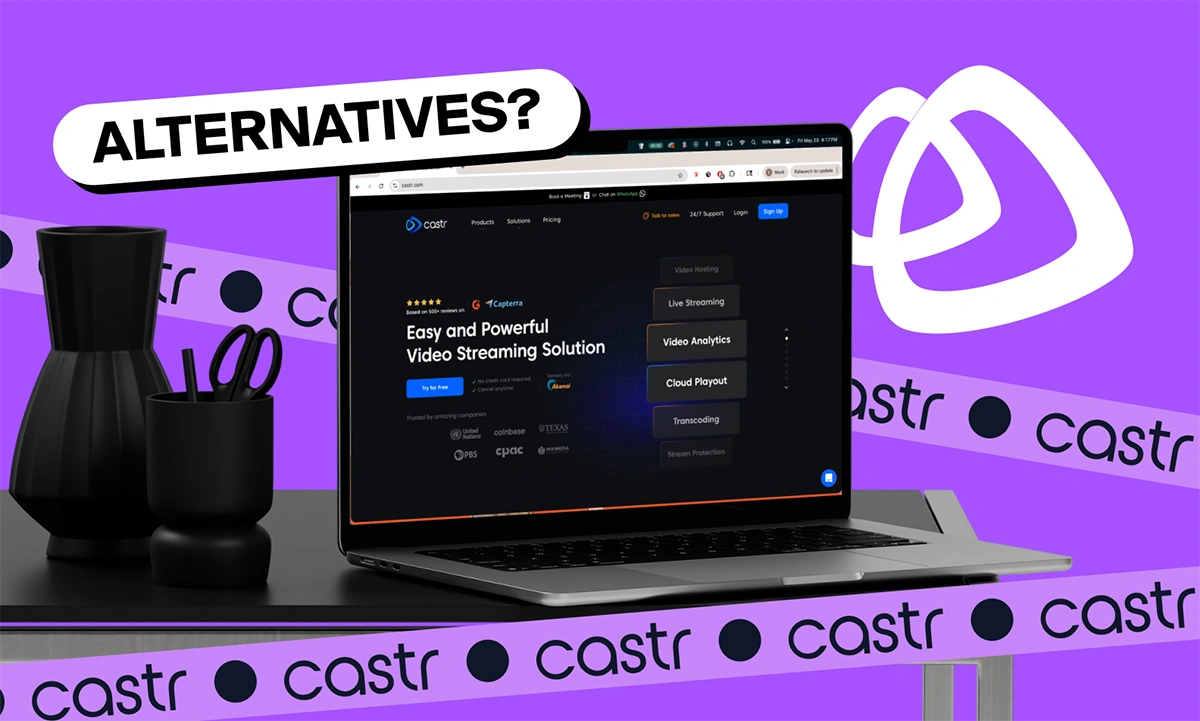 8 Castr Alternatives for Video Hosting and Live Streaming in 2026
Restream even has built-in chat aggregation, meaning you can see comments from all platforms in one window. No more alt-tabbing like a frantic game of Whack-a-Mole. The free tier limits you to one stream, but the paid plans start at just $16 a month. That’s cheaper than your average streaming lunch on Uber Eats.
Option 4: vMix (For the Fat Cat Streamers)
If you’re rolling in cash and want a pro-grade solution, vMix is your overpriced, but glorious, alternative. It’s used by big-time sports events and TV studios, so it’s definitely overkill for your “Let’s Play Among Us” stream. But it offers advanced features like 4K support, instant replay, and virtual sets that make you look like you’re broadcasting from Mars.
The catch? It costs anywhere from $60 to $1,200 one-time. Yeah, that’s—uh—not a typo. But if you’re making money streaming or just really hate the idea of buffering, vMix is a tank. Just don’t tell your bank account you heard it from me.
Surprising Fact: YouTube Studio is Free
Wait, did you know YouTube itself has a built-in streaming tool called YouTube Studio? It’s free, it’s simple, and it’s already connected to your YouTube channel. You can go live with zero extra software, using just your browser and webcam. No installations, no stress, no “Where’s my obs settings gone?” panic
The downside? It only streams to YouTube—so if you want to hit Twitch too, you’re out of luck. But for beginners or small creators, it’s the laziest way to start. Plus, YouTube’s audience is huge. Your cat video might accidentally go viral while you’re still trying to find the “Start Stream” button.
The Verdict: Pick Your Poison
So, what should you use instead of Castr? It depends on your vibe. If you’re a broke genius, go with OBS Studio (free, beloved, but needs a manual). If you want hand-holding, choose Streamlabs. If you’re a multi-platform maniac, try Restream. And if you’re rich or a TV producer, throw money at vMix.
But here’s the real truth: No tool will fix your content. You could stream from a toaster oven, and if you’re funny and consistent, people will watch. So pick a tool, test it this weekend, and remember—when your stream crashes, it’s not your fault. It’s just the internet gods playing a cruel joke on your career.
Now go forth and stream, you glorious disaster. Your audience awaits—probably.
