How To Take Apart A Computer Mouse

Hey there, tech enthusiast! Ever wondered what's hiding inside your trusty computer mouse? I mean, it's not like we're expecting a tiny, pixelated world in there, but still, c...
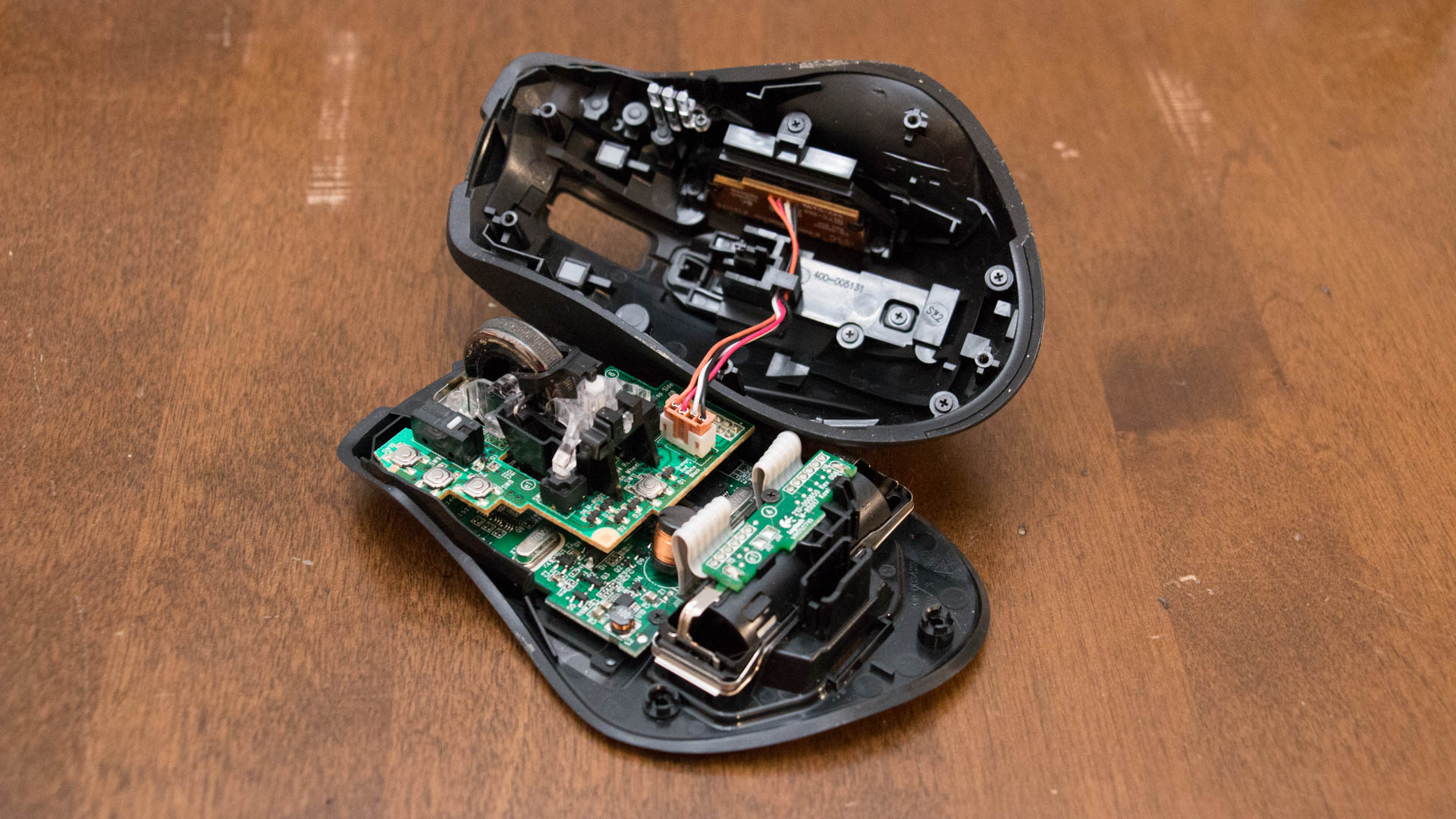
Hey there, tech enthusiast! Ever wondered what's hiding inside your trusty computer mouse? I mean, it's not like we're expecting a tiny, pixelated world in there, but still, curiosity's a killer, right?
Why Bother?
Now, you might be thinking, "Why on earth would I want to take apart my perfectly functioning mouse?" Well, my friend, there are a few reasons. Maybe you're just curious, like me. Maybe you want to upgrade that optical sensor to laser precision. Or maybe, just maybe, your mouse has stopped working, and you're hoping to fix it before you have to shell out for a new one.
Gather Your Tools
Alright, before we dive in, let's make sure you've got the right tools for the job. You'll need a Phillips #0 or #1 screwdriver, a small flathead screwdriver, and a pair of tweezers. Oh, and don't forget a bowl or tray to keep all those tiny screws organized. Trust me, you don't want to be fishing them out of the carpet later.
Must Read
Let's Get Started!
First things first, turn off your computer and unplug your mouse. We don't want any accidental zaps, do we? Now, find the little screw or screws on the bottom of your mouse. They're usually hidden under a sticker or a rubber pad. Once you've found them, unscrew them and set them aside. Remember where they go, we'll need them later.
With the screws out, you should be able to pry the mouse open with your flathead screwdriver. Be gentle, we don't want to break anything. If your mouse is still not coming apart, it might have some clips holding it together. In that case, you'll need to use your screwdriver to carefully pry those clips apart.
Meet Your Mouse's Inards
Congratulations! You've just taken your first peek inside a computer mouse. Isn't it fascinating? Now, let's take a closer look at what's inside. You should see a circuit board with a bunch of tiny components, a scroll wheel, and maybe a button or two. The most important part is the sensor, that little camera-looking thing that tracks your mouse's movement.
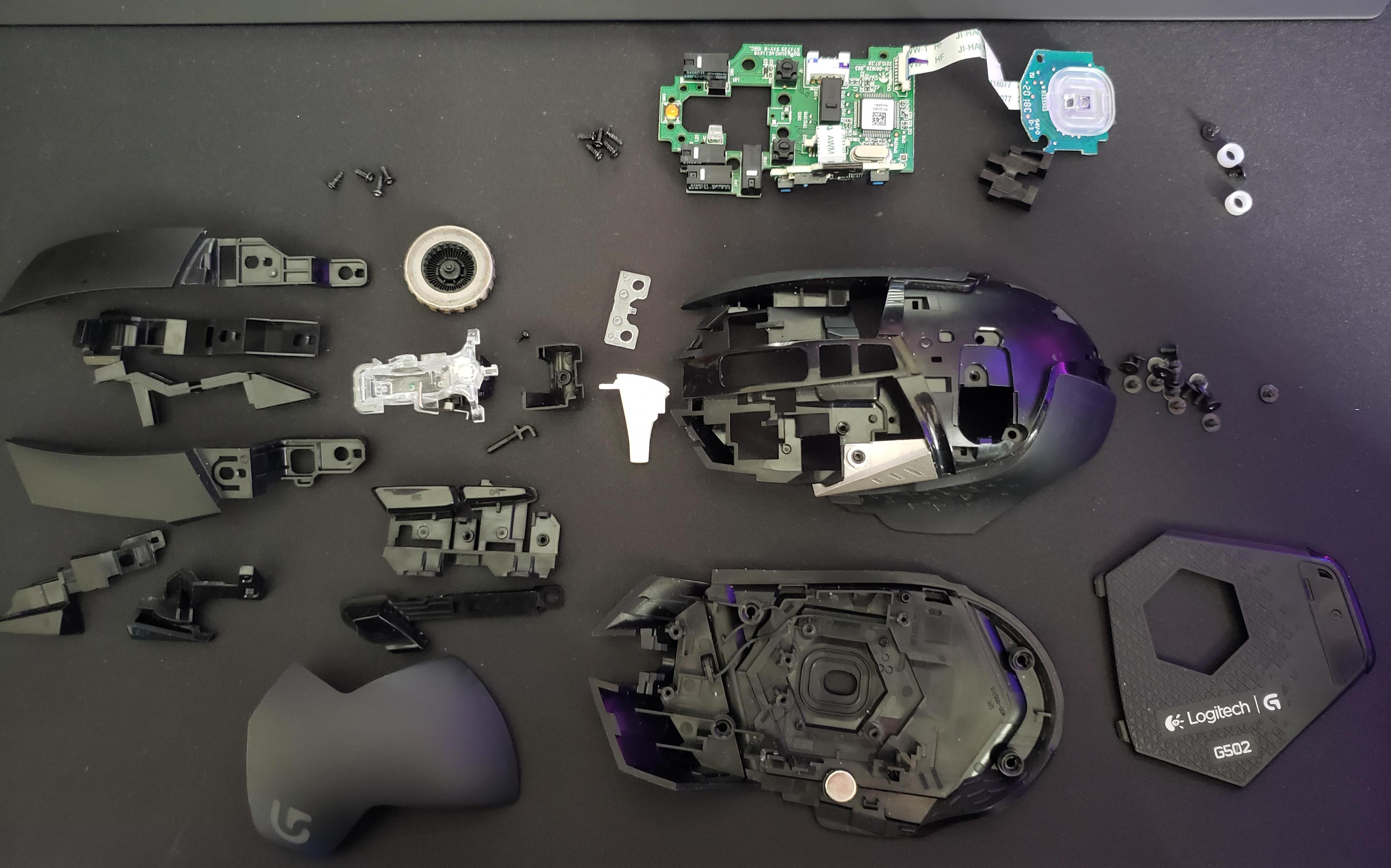 How To Disassemble Logitech Mouse | Robots.net
What Now?
So, you've taken apart your mouse. What's next? Well, that depends on why you took it apart in the first place. If you're just curious, take a moment to admire your handiwork, then carefully put it back together. If you're trying to fix it, take a look at the sensor and the buttons. Are they dirty? Give them a gentle clean with a cotton swab. Are they broken? You might need to replace them. There are plenty of guides online for specific models.
If you're upgrading, now's the time to swap out that optical sensor for a laser one. Just make sure you get the right one for your mouse. Once you've made your changes, carefully put everything back together. Remember, the key to a successful reassembly is patience. Don't rush, and you'll have your mouse back in working order in no time.
And That's a Wrap!
And there you have it! You've just taken apart a computer mouse and lived to tell the tale. Isn't that empowering? Now, go forth and conquer the digital world, one click at a time. And remember, if you ever need to take something apart again, I'll be here, cheering you on from the sidelines. Happy tinkering!
