How To Delete A Google Account From Computer

There’s a surprisingly satisfying sense of control that comes with cleaning up your digital life. Whether you’re decluttering your online presence, switching to a new email pr...

There’s a surprisingly satisfying sense of control that comes with cleaning up your digital life. Whether you’re decluttering your online presence, switching to a new email provider, or simply taking a break from the constant pings of Google’s ecosystem, knowing how to delete a Google account from a computer is a practical skill that brings real peace of mind. It’s not just about canceling a service—it’s about reclaiming your data, your privacy, and your digital footprint. For many, this is a liberating step, especially after years of accumulating old accounts, forgotten backups, or even just a desire to start fresh. It’s a process that anyone can learn in just a few minutes.
The main purpose of this guide is to walk you through the simple, safe, and permanent way to erase your entire Google account—including Gmail, Google Drive, YouTube, and all associated services—using only your computer. The benefits are clear: you stop the constant tracking, you free up storage space, and you reduce the risk of future data breaches tied to that old account. For instance, a freelancer closing an old project account, a retiree simplifying their online life, or a privacy-conscious user who’s finally ready to ditch the Big Tech umbrella all find this process incredibly empowering. A common variation is the “just in case” scenario, where someone wants to keep their account but delete specific services like Photos or Maps—but for a full exit, account deletion is the only way.
Before you take the plunge, backup everything you value. Google makes this surprisingly easy, but it’s the most overlooked step. Log into your account from a computer, head to the Google Takeout page, and select the data you want to keep: your emails, contacts, calendar events, and photos. This can take hours or even days, depending on your account size, but it is critical if you want to avoid losing precious memories or important documents. Think of it as packing your bags before moving out of a house—you don’t want to leave your family photos behind.
Must Read
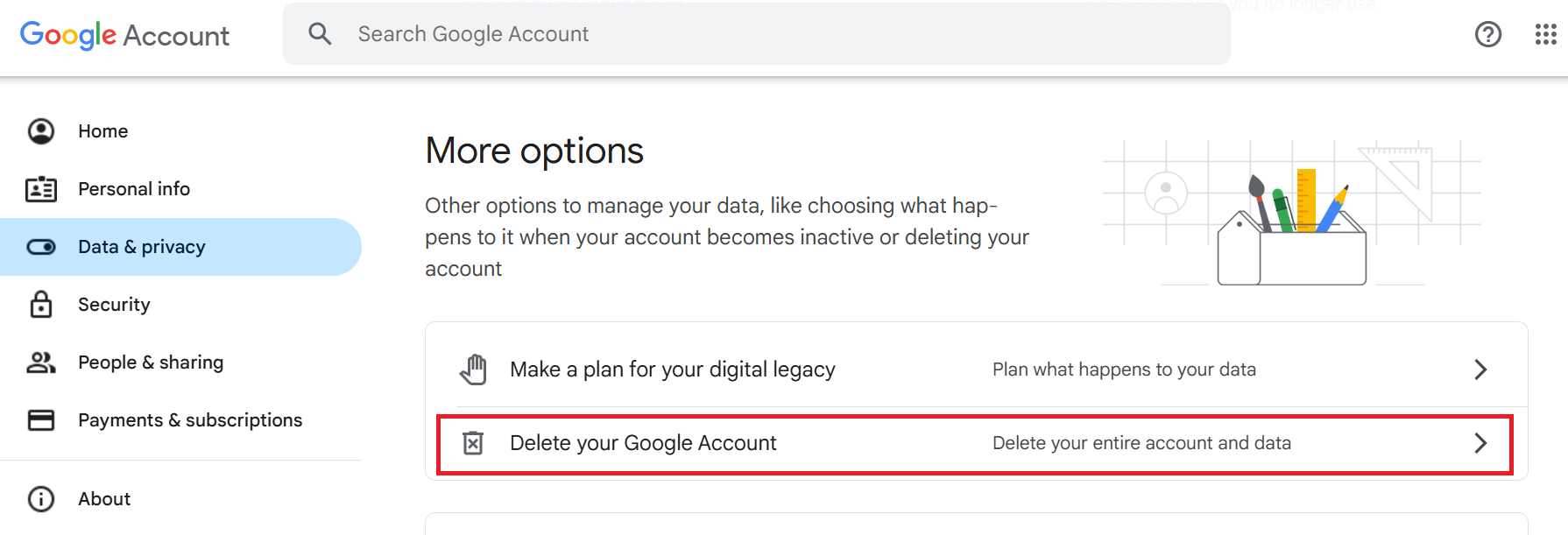
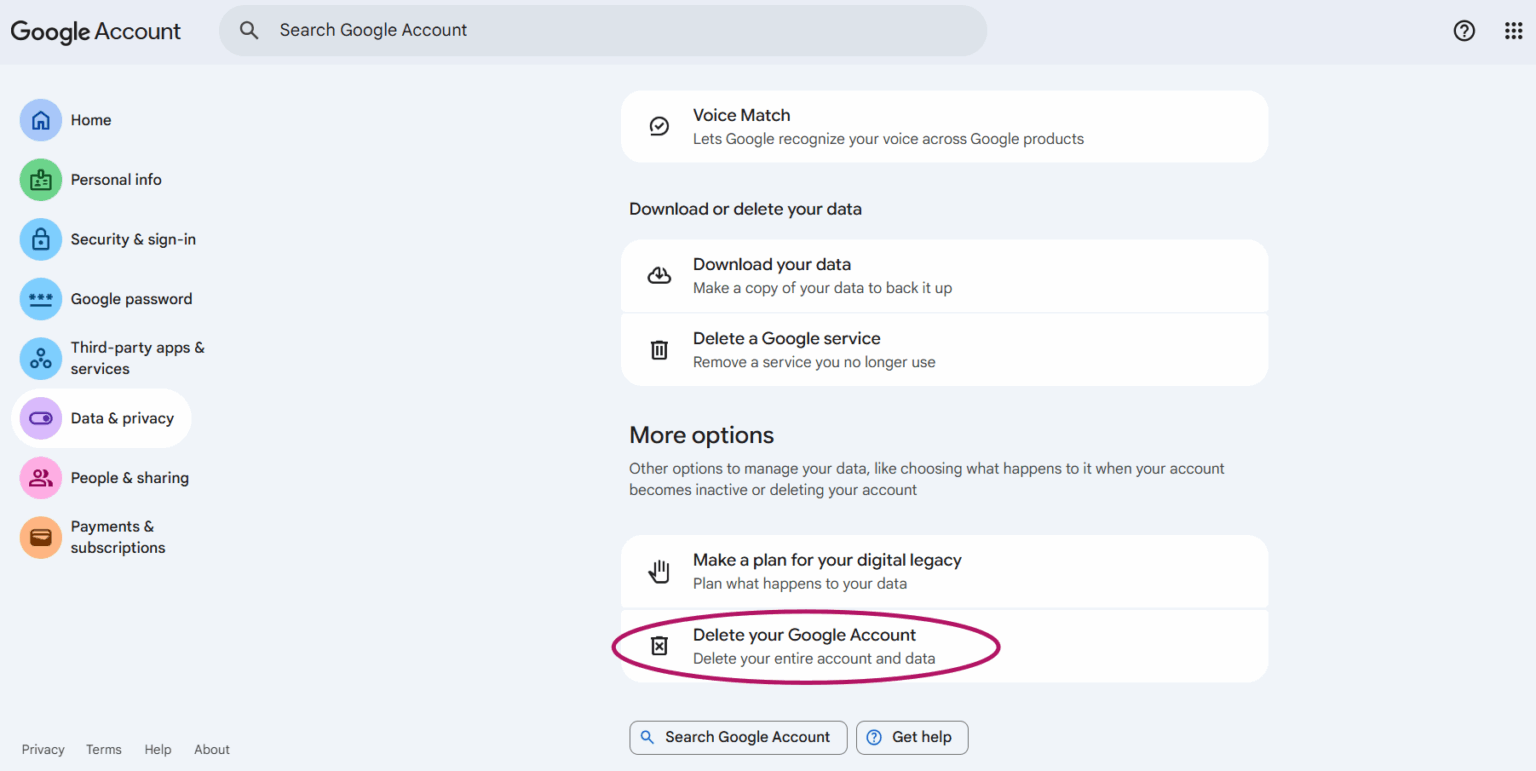
Once you’ve secured your data, the actual deletion process is remarkably straightforward—but you must follow the steps exactly. On your computer, go to myaccount.google.com. In the left-side menu, click on “Data & privacy.” Scroll down until you see the “More options” section. There, you’ll find the link that says “Delete your Google Account.” This is the big red button, but don’t panic. Google will first show you a warning screen listing everything you’ll lose—Gmail, YouTube channel, Play Store purchases—and make you confirm your password. This is your last chance to back out or take another backup.
Here’s where the actionable tip comes in: after you click that final confirmation, you will receive a recovery email (the one you listed as a backup) or a text message with a code. This is a security step to prove it’s really you. Enter the code, and then check a box acknowledging that you’re doing this voluntarily. Then, hit “Delete Account.” That’s it. The account is not instantly gone—Google usually keeps it in a “pending deletion” state for about two weeks. During this window, if you log in to your account accidentally, the deletion is cancelled. So stay disciplined and don’t check that email address for 14 days.
 A Guide on Easier Steps to Permanently Delete a Google Account - CloudFuze
What happens after the grace period? Your account is permanently, irrevocably deleted. No one—not even a Google employee—can restore it. Your Gmail address will be freed up (though you cannot reuse it immediately), your YouTube channel vanishes, and your Google Drive files are shredded. This finality is liberating for some, but it’s also why you must be sure. If you have any linked accounts (like a Google Pay or a domain registered with Google), you’ll need to transfer them first. This is also a great moment to change the email on any subscriptions or services that used that Google address.
In the end, deleting a Google account from your computer is a clean break that many find refreshing. It’s a digital detox that doesn’t require a month of meditation—just a computer, a strong password, and a few clicks. Whether you’re doing it out of privacy concerns, to stop an old account from being hacked, or simply because you’ve outgrown the service, the process is designed to be clear and user-controlled. So take a deep breath, back up what matters, and enjoy the quiet satisfaction of knowing that you, and only you, decide what lives on your computer’s cloud. It’s your digital life—own it, even if that means letting it go.