How I Lost Weight Using Apple Watch

So, you're curious about how I shed some pounds with my Apple Watch, huh? Let me tell you, it's not some magical weight loss potion. It's more like having a tiny, tech-savvy c...
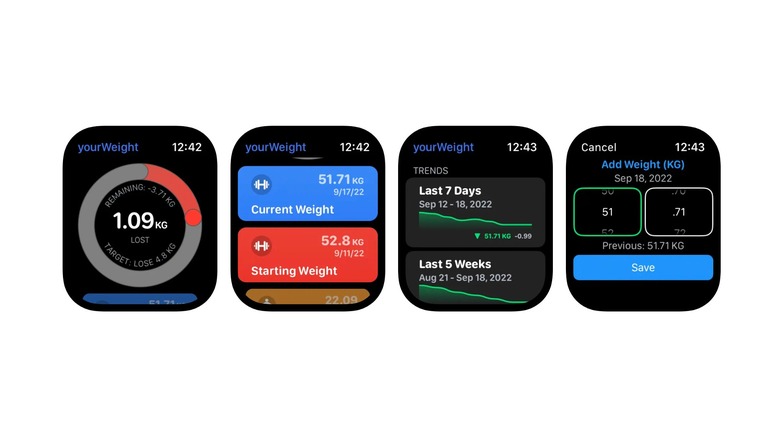
So, you're curious about how I shed some pounds with my Apple Watch, huh? Let me tell you, it's not some magical weight loss potion. It's more like having a tiny, tech-savvy cheerleader on your wrist, egging you on. Let's dive in, yeah?
First things first, what's the Apple Watch got to do with weight loss?
Well, imagine your Apple Watch is like your personal trainer, nutritionist, and cheer squad all rolled into one. It's got this nifty feature called the Activity app, which tracks your moves, encourages you to stand more, and motivates you to close those exercise rings. It's like having a little buddy that's always up for a challenge.
But how does it actually help with weight loss?
Think of it like this: the Apple Watch helps you build healthy habits, one step at a time. It reminds you to move more, sit less, and makes you aware of your activity levels. It's like having a gentle nudge from a friend who's just looking out for you. Plus, it syncs with the Health app on your iPhone, giving you a holistic view of your health and fitness.
Must Read
Now, let's talk about the elephant in the room - calories. The Apple Watch uses the Move, Exercise, and Stand rings to give you a rough idea of how many calories you've burned. It's not perfect, but it's a good starting point. It's like having a rough estimate of how many slices of pizza you can have after your workout. (Pro tip: probably not as many as you think. 🍕)
Alright, so how did I use it to lose weight?
First off, I set realistic goals. I wanted to lose weight gradually and healthily, so I aimed for a calorie deficit of about 500 calories a day. That's like skipping a small meal, nothing too drastic. The Apple Watch helped me understand how many calories I was burning with my daily activities, and how much more I needed to do to reach my goal.
Then, I started moving more. The Apple Watch challenged me to close those rings every day. It's like a game, really. You want to see those green, red, and blue circles fill up, don't you? So, I found myself walking more, taking the stairs instead of the elevator, and even doing some desk exercises when I was stuck at work.
Next, I paid more attention to what I was eating. The Apple Watch doesn't track your food intake, but it reminded me to be more mindful of my meals. I started using the Food app on my iPhone to log my meals and see how many calories I was consuming. It's like having a food diary that's always with you. No more sneaky snacks! 🍪
 How To Lose Weight Using the Activity Tracker on the Apple Watch - YouTube
But what about the tough days?
Oh, believe me, there were plenty of those. Some days, I just didn't feel like moving. But you know what? The Apple Watch was there, cheering me on. It sent me reminders to stand, to move, to close my rings. It was like having a friend who believed in me, even when I didn't believe in myself.
And on those days when I couldn't work out, I'd look at my Apple Watch and see my heart rate recovery score. It's like a little pat on the back, saying, "Hey, you're getting fitter!" It motivated me to keep going, even on the toughest days.
So, did it work?
You bet it did! I lost 25 pounds over the course of a year. It wasn't easy, and it wasn't quick. But it was sustainable, and that's what mattered to me. The Apple Watch was my partner in crime, my cheerleader, my coach. It helped me build healthy habits that I know I can stick to for life.
Now, I'm not saying the Apple Watch is a magic solution to weight loss. It's just a tool, a really useful one. But it's up to you to put in the work, to make the changes, and to stick with it. The Apple Watch will be there, every step of the way, cheering you on. So, what are you waiting for? Let's get moving! 🏃♂️🏃♀️
